⌘C⌘C & ⌥Z Selection Translation
Highlight text in any application (Safari, Xcode, PDF, Slack) and double-tap Command+C or press Option+Z. A floating HUD appears in 0.12s without context switching.
DeepSeek V3 / R1 ⇄ Google Translate
iTrans (MacTranslate AI) is a native macOS menu bar translation and selection lookup tool powered by DeepSeek AI and Google Translate. Designed for Mac power users, developers, and researchers, it delivers instant floating translations via global shortcuts (⌘C⌘C / ⌥Z), supports Bring-Your-Own-Key (BYOK) for direct-to-API privacy without monthly subscriptions, and features local Terminology Memory to eliminate domain-specific mistranslations.
Universal Binary (Apple Silicon M1/M2/M3/M4 & Intel) · MIT License
Selected text shortcuts, menu bar access, your own DeepSeek API key, personal terminology memory, and local agent automation—built for native macOS.
Highlight text in any application (Safari, Xcode, PDF, Slack) and double-tap Command+C or press Option+Z. A floating HUD appears in 0.12s without context switching.
Save preferred terms and correction samples. Subsequent translations using DeepSeek automatically adapt to your vocabulary and tone.
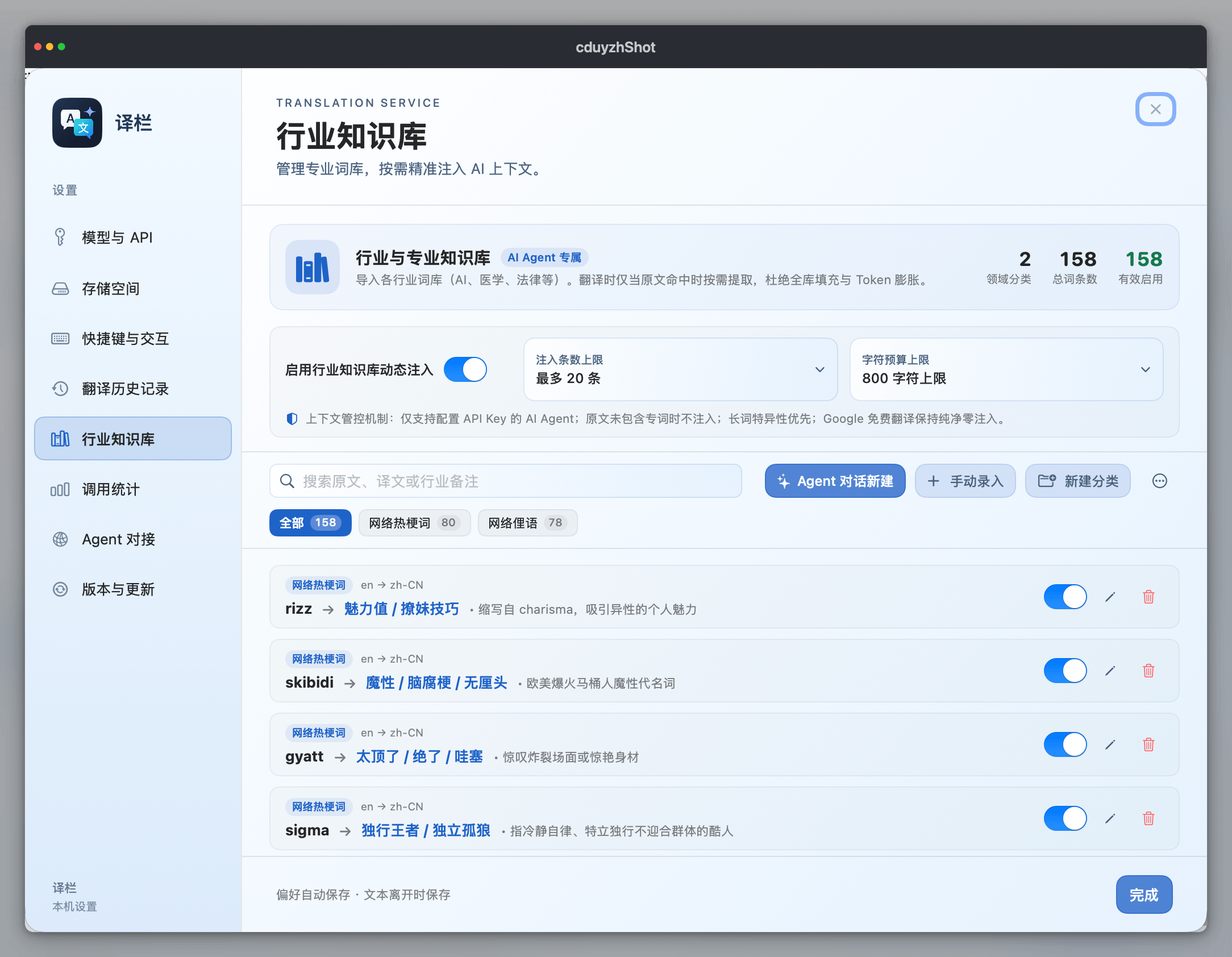
Import domain dictionaries across AI/CS, medicine, finance, and legal. Toggle categories on demand with smart token budget management.
Bring saved terminology into local scripts, Raycast, and agents.
Local metrics track request latency, input/output token volume, and estimated DeepSeek API expenditure on your Mac.
API keys are stored with restrictive 0600 file permissions. Your text is dispatched exclusively to your selected provider with zero tracking.
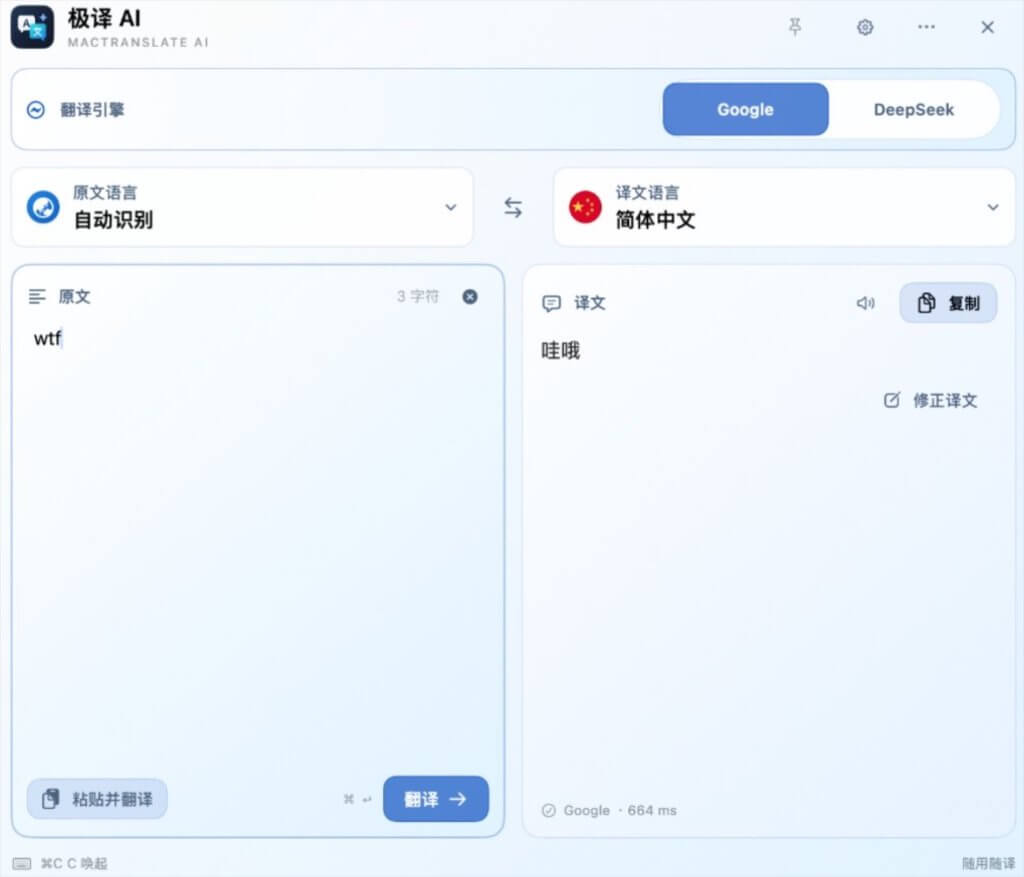
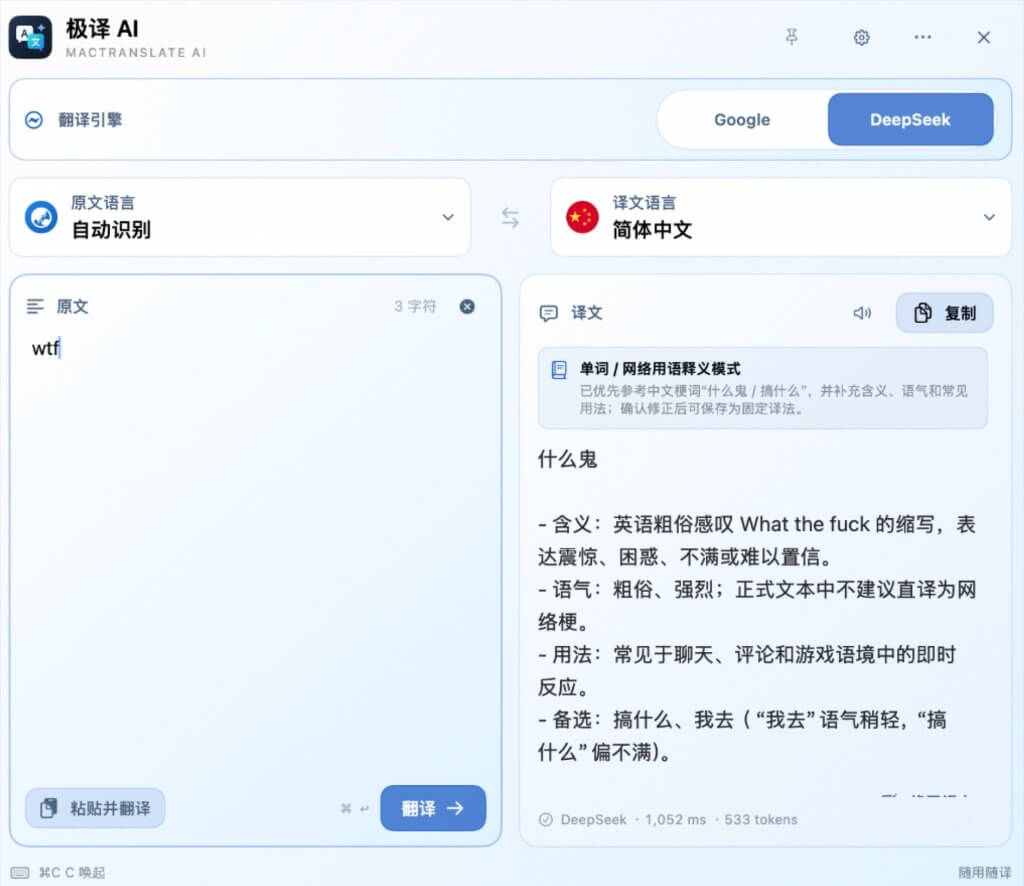
Real-world digital communication is filled with informal acronyms and internet slang (e.g., “wtf”, “slay”, “no cap”, “based”). Traditional translators rely on rigid dictionary tables, resulting in nonsensical or completely inverted meanings. With DeepSeek AI reasoning, iTrans uncovers authentic nuances, conversational tone, and contextual etiquette.
Save a preferred translation once. MacTranslate AI reuses it in future results.
zero-shot transfer
Red marks the default wording; blue marks your saved term.
zero-shot transfer → 零样本迁移
A loopback-only endpoint adds your saved terms to every request.
127.0.0.1:11899
See how iTrans compares to traditional subscription services, complex plugin runners, and native system tools.
| Feature / Dimension | iTrans (MacTranslate AI) | DeepL Pro Desktop | Bob (with Plugins) | Apple System Translate |
|---|---|---|---|---|
| Architecture & Memory | ✓ Native Swift (~25MB) | Electron (~150MB+) | Native + JavaScript runtimes | ✓ System daemon |
| Selected-Text Shortcut | ✓ Instant ⌘C⌘C & ⌥Z | ⌘C+C (Double shortcut) | ✓ Floating icon / shortcut | ✗ Context menu click only |
| AI Engine Flexibility | ✓ DeepSeek V3/R1 & Google | ✗ DeepL proprietary only | Multi-engine (plugin setup) | ✗ Apple offline models only |
| Pricing & Subscription | ✓ $0 Free + Pay-as-you-go BYOK | ✗ $8.74 – $57.49 / month | Paid app + separate plugin fees | ✓ Free built-in |
| Personal Terminology Memory | ✓ Built-in Local Glossary | Enterprise tier only | ✗ Requires custom scripts | ✗ Not supported |
| Data Privacy & Security | ✓ Direct official API, 0600 storage | Cloud translation history | Depends on community plugin | ✓ Local on-device |
| Developer & Agent CLI | ✓ UNIX Socket & CLI Gateway | ✗ No local API | ✗ No local API | Apple Shortcuts only |
Real answers to real search queries about translating on macOS.
By default, macOS does not provide a direct single-action shortcut; users must right-click highlighted text and select "Translate" from a submenu. With iTrans installed, you can simply highlight text in any Mac app (Safari, Xcode, Slack, PDF readers) and double-tap Command+C (⌘C⌘C) or press Option+Z (⌥Z). A lightweight Quiet Native floating HUD appears in 0.12s with your AI translation without interrupting your workflow.
Yes. iTrans is built around a Bring-Your-Own-Key (BYOK) architecture. Simply paste your official DeepSeek API key into iTrans Settings. Requests are sent directly from your Mac to official api.deepseek.com endpoints. With DeepSeek's pricing, 1,000 lookups cost less than $0.002, saving over 99% compared to monthly subscriptions like DeepL Pro.
DeepL Pro requires a recurring monthly subscription ($8.74+) and runs in an Electron wrapper. Bob requires manual plugin configuration and maintenance. Apple Translate lacks modern LLM context and custom terminology support. iTrans combines pure native Swift performance (~25MB RAM, 0.1s launch), cutting-edge DeepSeek V3/R1 models, local Terminology Memory, and a local Agent CLI Gateway in a 100% free, open-source Mac app.
Never. iTrans enforces strict offline-first security. Your API key is encrypted and stored locally on your Mac with restrictive 0600 permissions. Translation network traffic travels strictly between your machine and your chosen official provider (DeepSeek or Google). There are zero proxy relays, zero analytics trackers, and zero telemetry SDKs.
Terminology Memory is a local domain glossary database. When you define or confirm technical, medical, or brand terms (e.g. "zero-shot transfer → 零样本迁移"), iTrans injects these rules directly into prompt context during AI translation. This guarantees that your domain-specific vocabulary remains consistent and completely eliminates AI hallucinations.